Camtasia Templates 4-for-1 Special
Grab 4 Of My Latest Camtasia Template Packs For The Price of 1
Plus $100's worth in bonuses - all with a very flexible PLR license!
Want to give your Camtasia projects a visual makeover? I put together a special 4-in-1 bundle that comes with some of my latest Camtasia products and templates. These are full products that sell today for $19 - $29 each with a PLR license, but with the offer on this page you can grab them all for just...
Let me show you what you get...
Turn Regular Photos Into Sparkly Cinematic Moving Images
Create animated photo scenes, backgrounds, logos, text effects, & more...
What Can You Do With This Product?

Turn Regular Photos Into Cinematic Moving Images - Instantly transform any regular photo into a sparkly animated scene in just a few minutes
Create Animated Text - Make your text POP with subtle sparkle animations

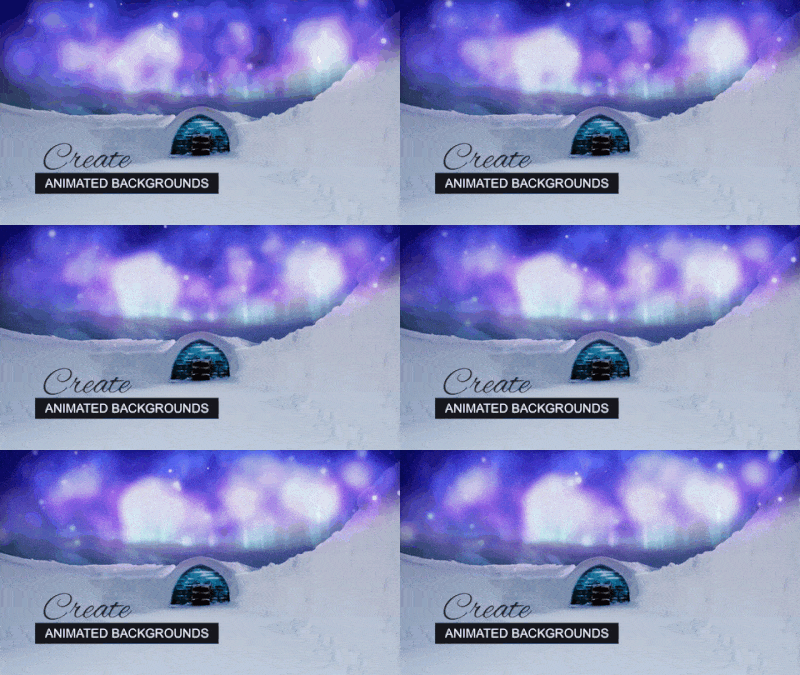
Create Animated Backgrounds - Turn any static background image into a awesome looking animated background
Create Animated Product Covers - Make your product covers stand out with subtle sparkle animations


Create Animated Logos - Give your logos and instant makeover with animated sparkle effects
Give Your Projects An Instant Makeover
The above are just a few examples of what you can do, but you can do so much more. You can copy & paste the animations on top of any text, logo, video or image. Create ads, VSL scenes, intros, outros, logo stingers, viral images, invitations, Instagram stories, spice up your green screen videos and much more.
Create EPIC History Cinematic Videos Using Just Camtasia
Camtasia + AI = Awesome Looking Cinematic Videos
Want to make your videos look EPIC? This easy to use template will do the trick.
The video you see at the top of this page was created 100% using Camtasia plus AI images I created using a FREE AI image tool.
I saved that video as a template and I’m making it available for you to use in your projects.
Plus I saved the prompts I used to create the images in the video, and put together 260 done-for-you prompts to create cinematic movie images.
I’m now offering all this valuable content with PLR.
Here is how it works...
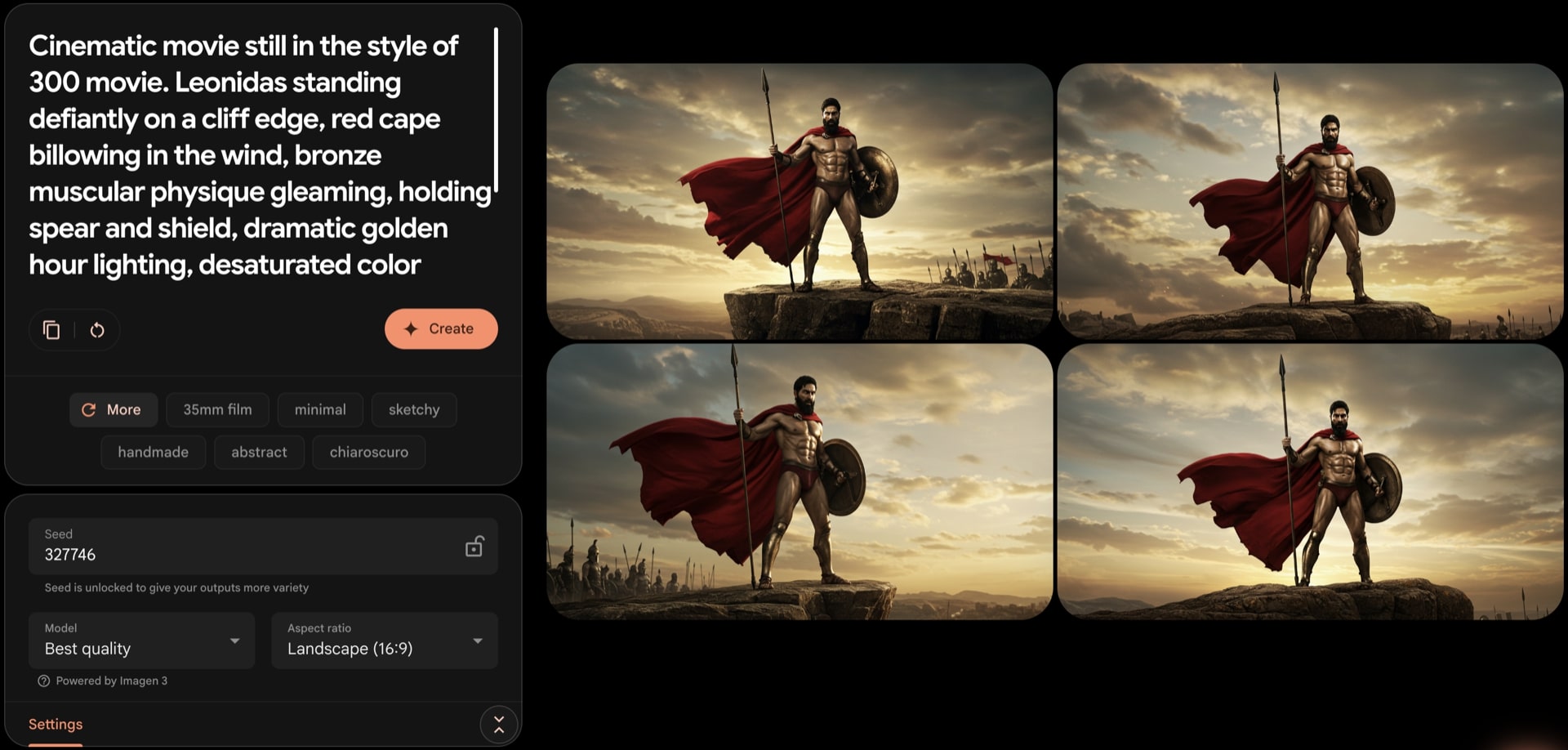
Step 1: Create images using FREE AI
Copy and paste one of the 260 done-for-you prompts into the FREE AI image tool to create cinematic images.
Step 2: Edit Camtasia template
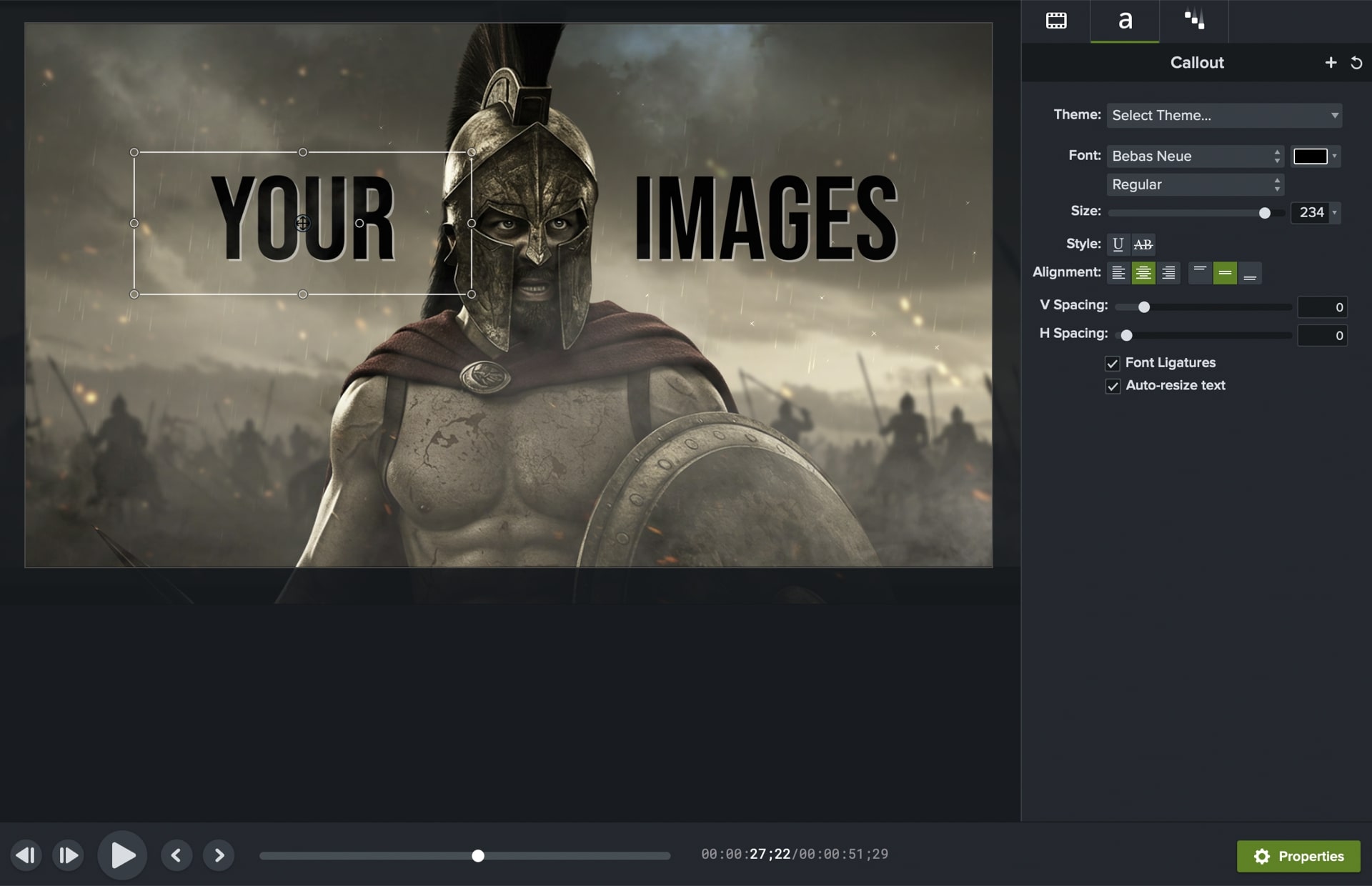
Add your images inside the template and copy and paste your own text. The template was created in Camtasia 2022. If you’re familiar with Camtasia, you should be able to edit this template pretty quickly with your own details.
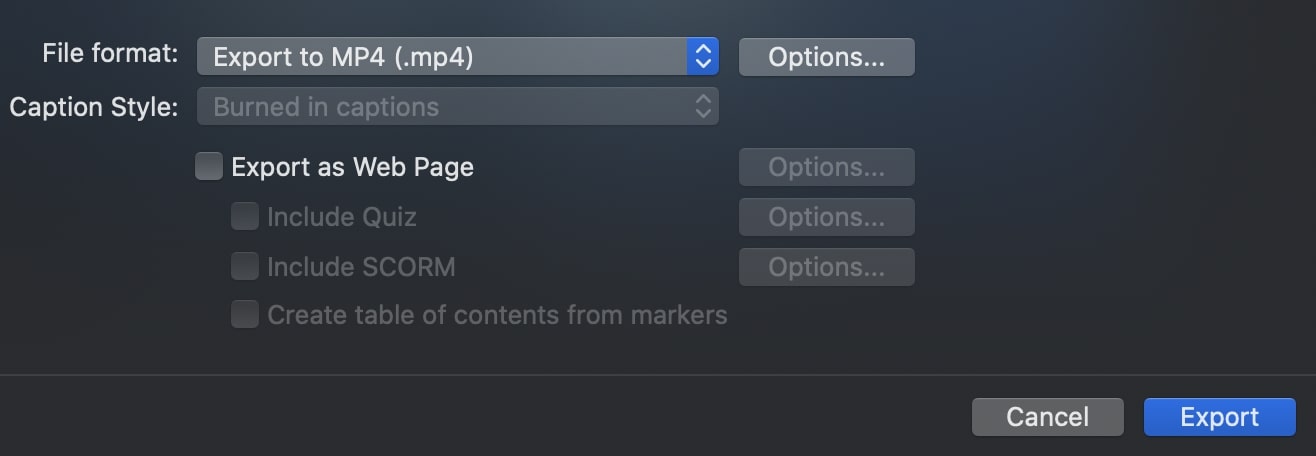
Step 3: Export as MP4 video
Create as many videos as you want and export them in 1080p using Camtasia export feature.
Here is what you get...
Module 1: Copy-And-Paste Prompts
To Create Cinematic Movie Still Images
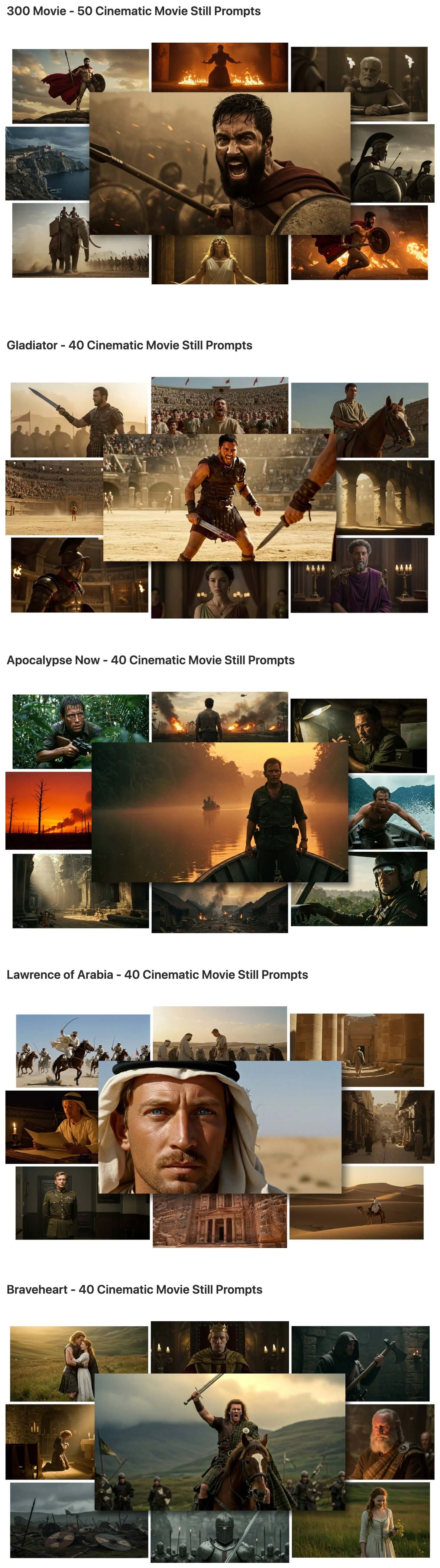
With this module you will get a collection of 260 professional prompts to create photo-realistic, cinematic movie still images. All of the images you see on this page were created with AI using these prompts.
These prompts capture the visual style of the best looking cinematic videos including the color palette, lighting, and mood and atmosphere of the movie.
These prompts include the main characters of the movie, supporting characters and general people that might appear in the movie’s world, plus environments and backgrounds. So there is a large variety of different images you can create.
Module 2: Cinematic Camtasia Video Template
You will get a Camtasia 2022 template for the exact video you see at the top of this page. Everything you see in the video is included (images, visual effects, text animations, transitions, background music, etc..) Everything is fully customizable and you can change the text, colors, fonts, move things around, re-arrange different elements and scenes, duplicate scenes to make the video longer, etc..
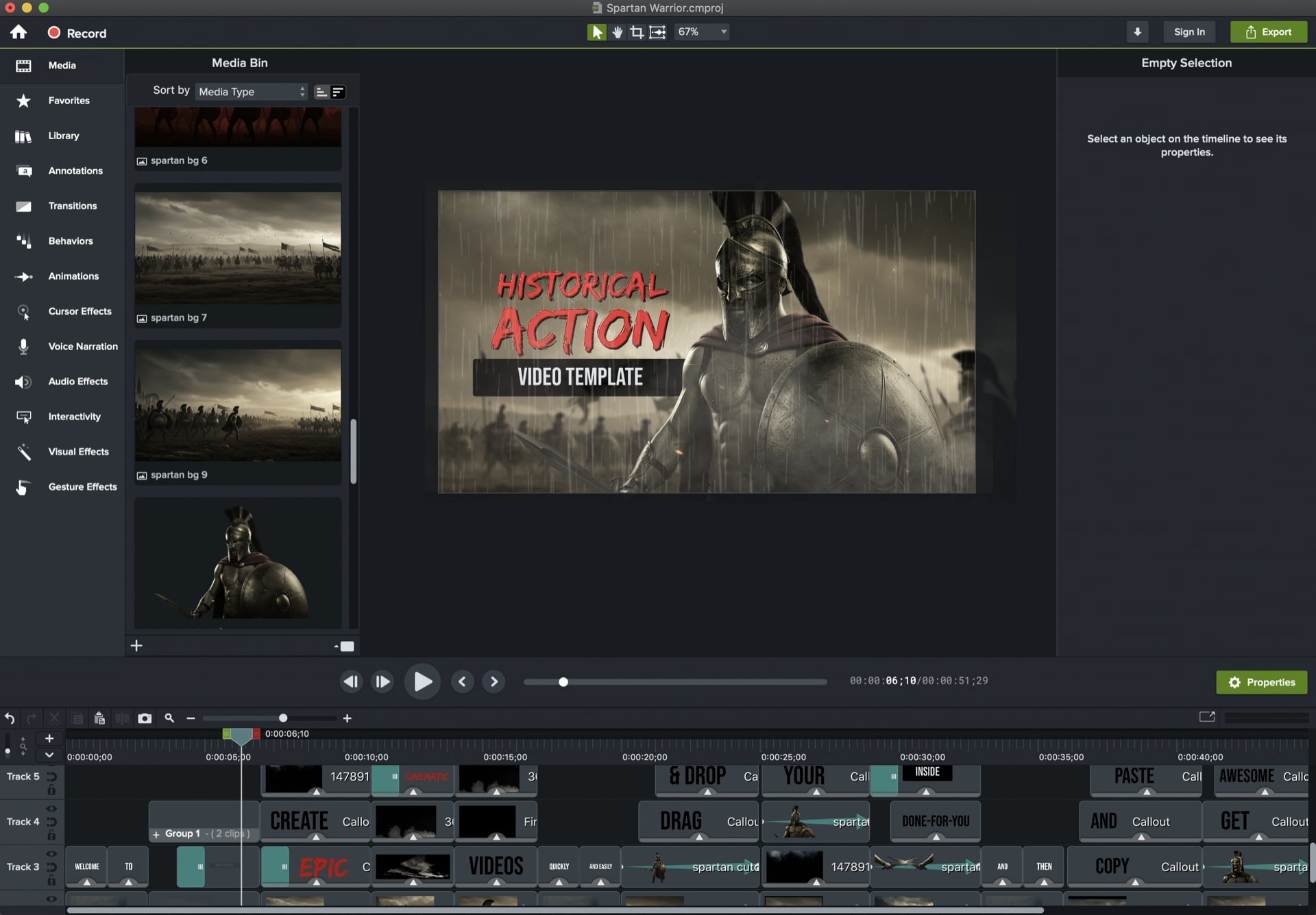
The template is based around ancient Spartan warriors and using the style of Zach Snyder’s movie 300. You can edit the template and make it for any other topic and theme. And you can use it to create all kinds of different videos, not just movie trailers.
Love Themed Animations and Templates For Valentines Day
Need some love themed animations for Valentines day? If so this template pack is for you. These templates are perfect for Valentines Day but can also be used for other love themed topics like: dating, weddings, anniversary, etc..
With the editable Camtasia templates you can replace "Valentines Day" with any other text to change the topic / niche. Let me show you what you get…
Module 1: Love / Valentine’s Day Video Scenes
With this module you will get 10 different animated video scenes that wish people Happy Valentines. These scenes have animated elements like heart shapes, moving images of couples, animated text, etc..
You can edit all of these elements and add your own text using the Camtasia templates. Or just use the MP4 videos as-is without the need to edit anything.
What you get:
Camtasia templates
Ready to use MP4 videos
Module 2: Love Themed Logo Reveals
With this module you will get 8 different love themed animated logo reveal Camtasia templates. They’re super easy to use… Just replace the “YourLogo” placeholder image with your own logo image.
What you get:
Camtasia templates
Module 3: Animated Love Themed Lower Third

With this module you will get a Valentines Day animated lower third. It comes with an editable Camtasia template where you can type in your own text. Plus MP4 video files with a black, white and green background (that you can chroma key out to make transparent).
What you get:
Camtasia templates
MP4 videos
Module 4: Hearts Motion Backgrounds
With this module you will get a set of 17 motion backgrounds with animated hearts. These backgrounds come in a variety of different colors and animated effects. You can use them as backdrops for your videos, presentations, or even graphics projects (with included static image backgrounds).
What you get:
MP4 videos
JPEG images
Create Cinematic Vintage Style Videos Using Just Camtasia
The template creates cinematic “vintage” style videos. It has a dramatic and epic feel and is great for creating history videos, trailers, fitness videos, extreme sports, etc..
Use this template to…
Create a trailer for a new product or book you’re launching
Create animated, cinematic slideshows
Create a short video for a PLR product you bought rights to
Create a video teaser for a new podcast episode featuring different guests
Create a short teaser for an upcoming YouTube video
Or just copy certain scenes or text animations that you like and paste them into your existing videos
What you get:
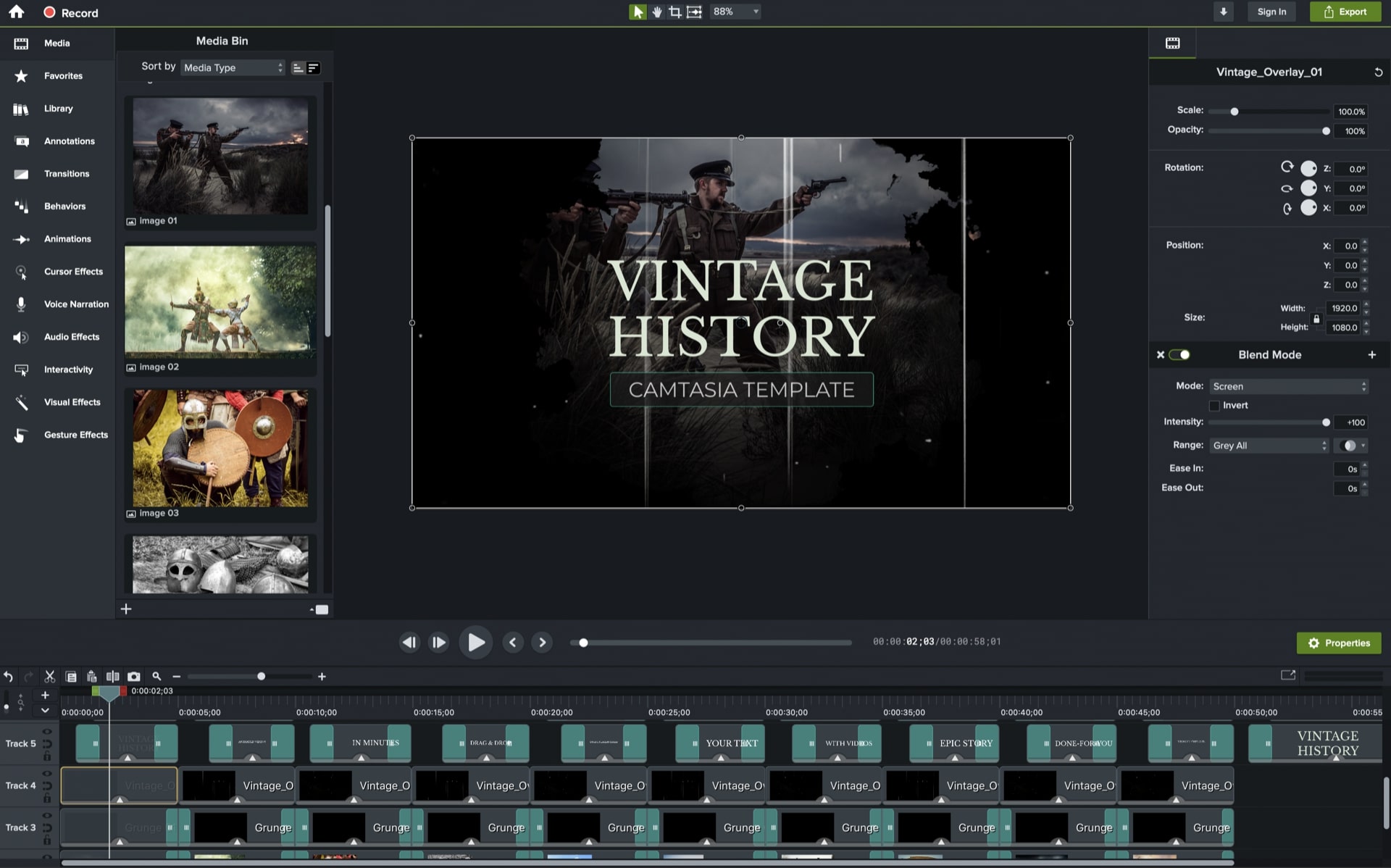
You will get a Camtasia 2022 template for the exact video you see at the top of this page. Everything you see in the video is included (music tracks, images, visual effects, text animations, etc..) Everything is fully customizable and you can change the text, colors, fonts, move things around, re-arrange different elements and scenes, duplicate scenes to make the video longer, etc..
Grab All 4 Camtasia Template Packs And Bonuses For Just....
PLUS Get These Bonuses...
On top of the full product above, I’m also going to give you some of my own templates and assets with a PLR license which allows you to:
Sell these bonuses as your own, add them to a paid membership site, use them in your products, bundle them into bigger packages, create your own templates and sell them, etc..
Grab the 4-for-1 Camtasia bundle and get all of the bonuses below...
Bonus: Camtasia Cinematic Titles Template (With PLR license)

With this template you can easily create cinematic looking titles.
You can use any font, change text colors, and fully edit the text.
Create as many titles as you want, by just copy and pasting your own text into the template.
Bonus: Finger Tap Display Camtasia Template (With PLR license)
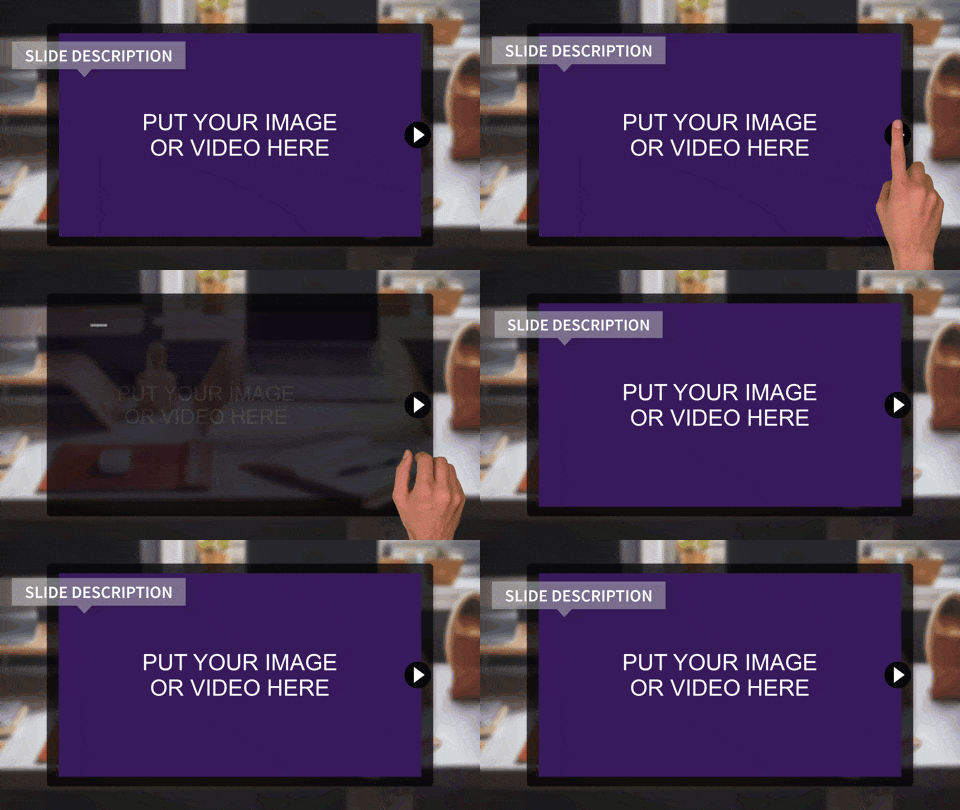
With this template you can create a unique animation where a real finger clicks on a button of a display and then any image or video that you want shows up.
You can create a whole slideshow with multiple scenes, showing different images or videos.
You can also add this scene on top of any background image or video (it comes with alpha channel).
Bonus: Electric Cartoon FX Camtasia Template (With PLR license)

With this template you can easily create these electric cartoon FX inside Camtasia.
You’ll get 10 different electric animations, each one with alpha channel transparency.
Which means you can copy and paste them on top of any text, images, videos, logos, etc..
Bonus: Abstract Frame Camtasia Template (With PLR license)
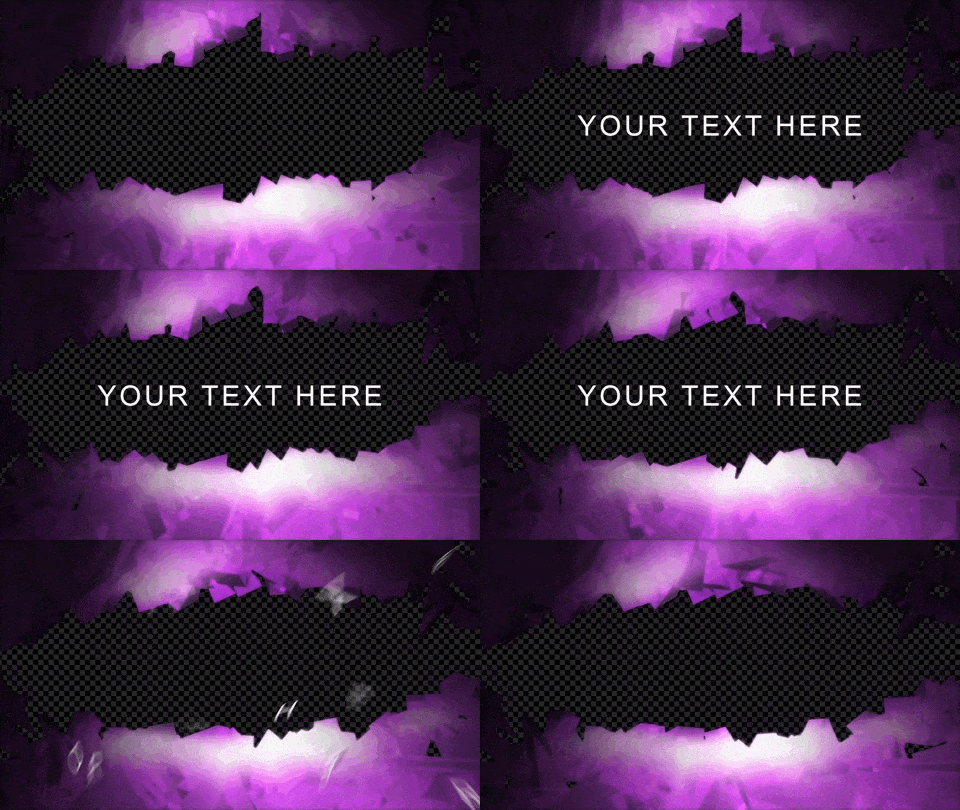
With this template you can add an abstract polygonal shape on top of any video or image.
Use it to create animated titles, video frames, and more.
Bonus: 3D Speech Bubbles Camtasia Template (With PLR license)
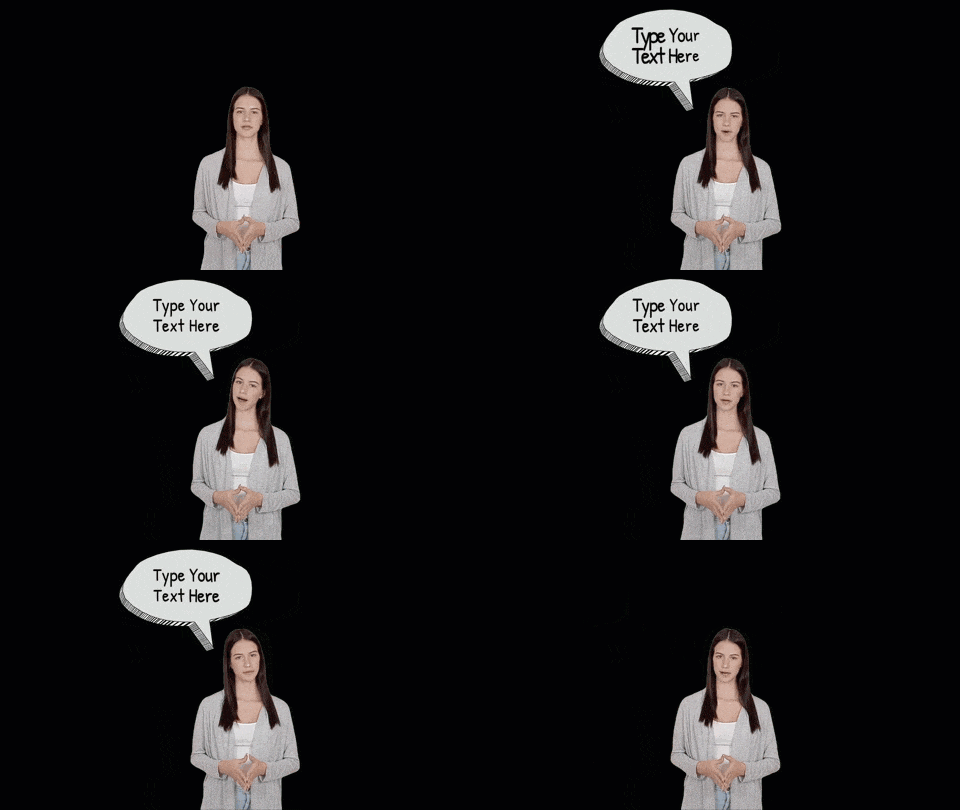
Make your spokesperson communicate with animated 3D speech bubbles.
Type in your own text, position and resize the speech bubble to fit your scene, and chose from different speech bubble shapes.
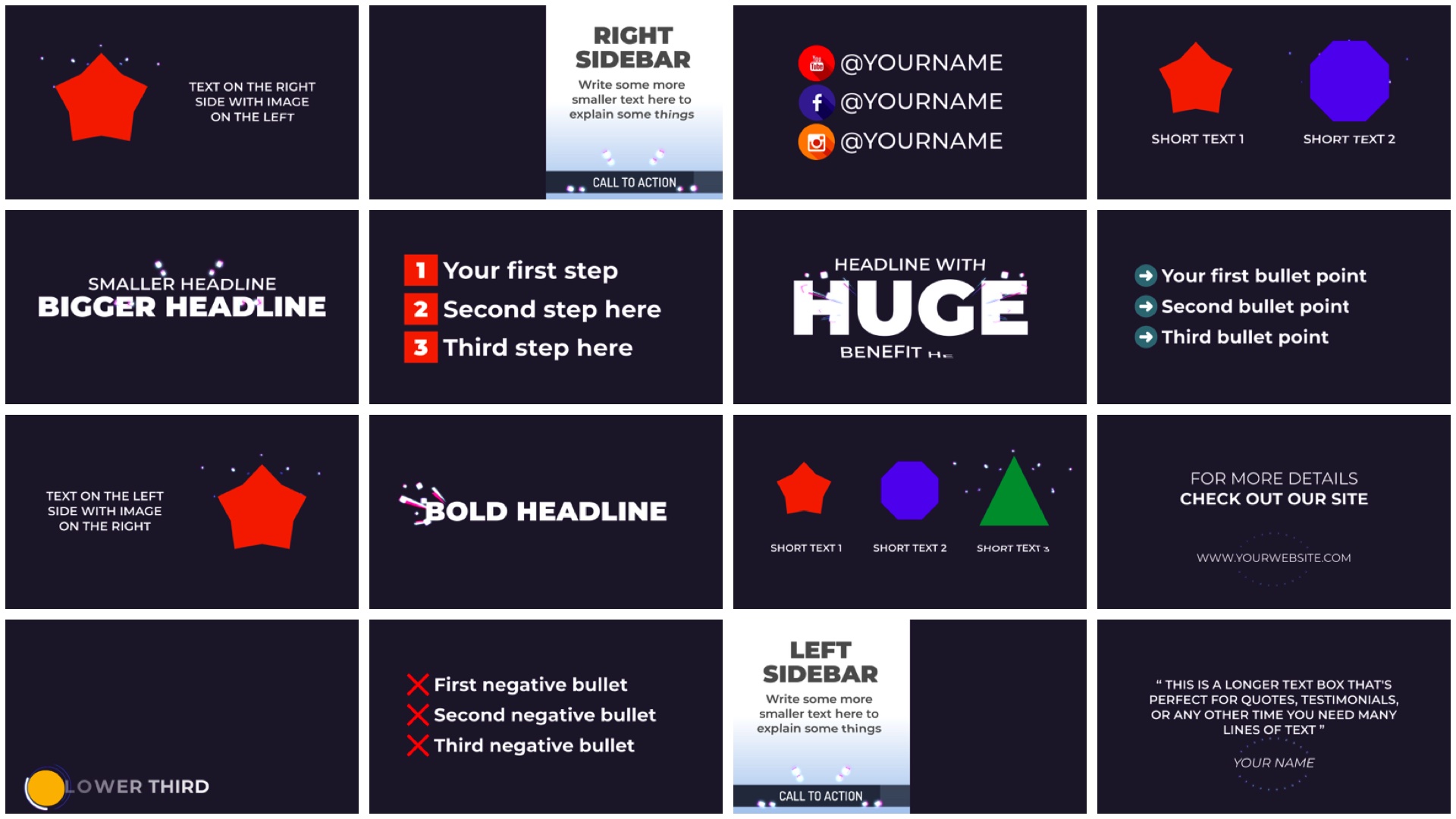
BONUS: Toon Typography Scenes for Camtasia (With PLR license)
Text plays a big part of any video, especially when creating explain or toon videos. In fact you can create videos that are based only on text, like Video Sales Letters (VSLs).
To save you time on creating text layouts, you will get these done-for-you typography scenes. They come with all kinds of different layouts and animations including: headlines, bullets points, sidebars, etc..
Use these typography scenes by themselves to create VSLs, or combine them with other templates and assets to create your own layouts.
If you were to buy these products separately you’d pay…
Sparkly Photo Maker V2 with PLR - $29.99
Epic History Camtasia Template with PLR- $19.99
Valentine's Day Camtasia Templates with PLR - $19.99
Vintage Slideshow Camtasia Template with PLR - $19.99
Plus the bonuses are worth $100's in value!
Total value if bought separately = $89.96 (plus bonuses)
Grab All 4 Camtasia Template Packs And Bonuses For Just....
PLR License
With this license you can use the product in your own commercial projects and projects you create for clients. Plus you can sell this product as your own, under your name, your order buttons, etc..
What you CAN do:
[YES] Sell the product unlimited times and keep all the money
[YES] Rename the product and put your own brand on it
[YES] Edit sales page, graphics and video
[YES] Break up the product and use assets in templates and apps that you sell
[YES] Edit the content and create new variations or versions (V2, V3, V4, etc)
[YES] Create brand new products out of the source files
[YES] Packaged into a bigger product
[YES] Offered as a bonus to a paid product
[YES] Added to a paid membership site
[YES] Have your own affiliate program
What you CAN’T do:
[NO] Given away for free
[NO] Added to a free membership site
[NO] Offered through auction sites
[NO] Transfer Resale Rights
[NO] Transfer Master Resale Rights
[NO] Transfer Private Label Rights